



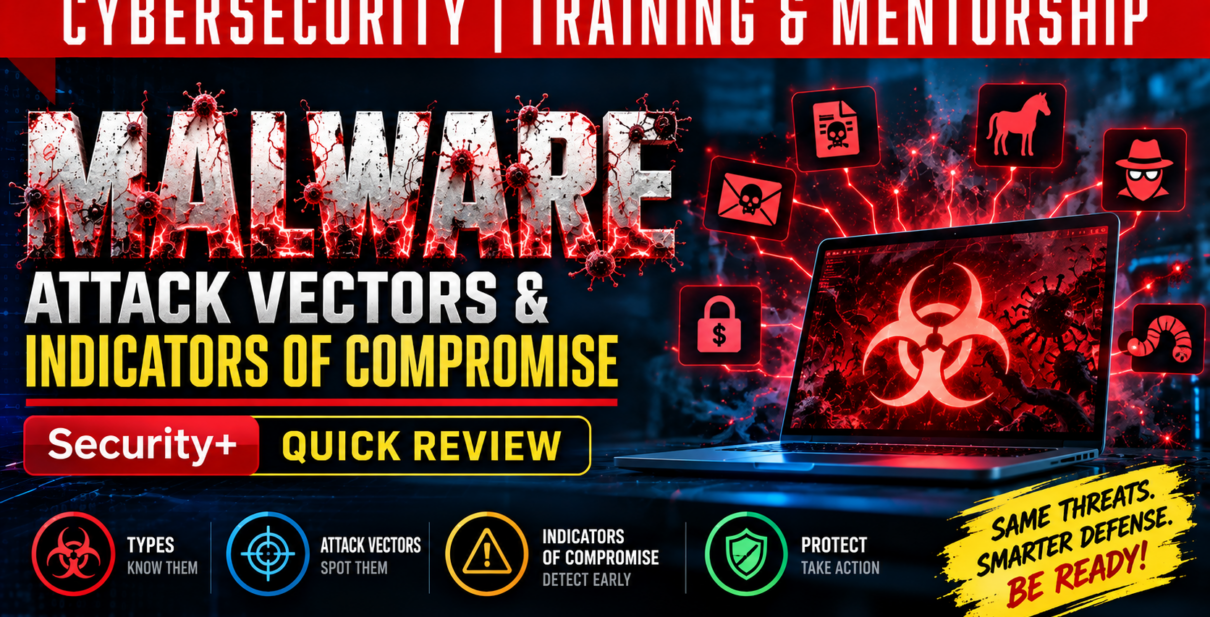
Understanding Malware: Types, Attack Methods, Warning Signs, and How to Protect Yourself
Cybersecurity Awareness Series | ZerOne Data Solutions LLC
Introduction: Understanding the Invisible Threat
In today’s interconnected digital world, cybersecurity threats have become increasingly sophisticated. Every day, individuals, businesses, and organizations rely on computers, smartphones, networks, and cloud-based applications to communicate, conduct business, and store sensitive information.
However, these same technologies create opportunities for cybercriminals to exploit vulnerabilities, steal confidential information, disrupt operations, and compromise digital systems.
One of the most persistent threats in cybersecurity is malware, a term derived from malicious software.
Malware comes in many forms, from traditional computer viruses that infect files to sophisticated attacks that operate silently in system memory, evade security tools, and provide attackers with unauthorized access.
Understanding how malware works, recognizing its different forms, and identifying the warning signs of an attack are essential steps toward protecting our digital environments.
In this article, we explore the major categories of malware, how cybercriminals use them, common attack methods, indicators of compromise, and practical measures for reducing cybersecurity risks.
- What Is Malware?
Malware is any software or code intentionally designed to damage, disrupt, exploit, or gain unauthorized access to computer systems, networks, applications, or information.
Think of malware as a digital parasite. Just as a biological parasite depends on a host to survive, malware infiltrates digital environments and uses their resources to carry out harmful activities.
Depending on its design and purpose, malware can:
- Steal passwords, financial information, and confidential business data.
- Encrypt files and demand payment for their release.
- Monitor user activities without permission.
- Damage or delete important files.
- Disrupt computer systems and business operations.
- Create hidden access points for cybercriminals.
- Spread across connected computers and networks.
Not all malware behaves the same way. Some forms spread automatically, while others depend on users downloading infected software, opening malicious attachments, or enabling unsafe application features.
Understanding these differences is important because different types of malware require different detection and prevention strategies.
- Common Types of Malware and How They Operate
Computer Viruses: Infecting Files and Applications
A computer virus is malicious code that attaches itself to legitimate files or programs and replicates when the infected host is executed.
Much like a biological virus, a computer virus spreads by infecting additional hosts.
Its common characteristics include:
- Self-replication: Creating copies of itself to infect other files.
- Host dependency: Typically requiring an infected program or file to execute.
- Malicious payload: Performing harmful actions such as corrupting files or modifying system settings.
- Propagation: Spreading through infected downloads, removable drives, and shared files.
Protection: Use reputable endpoint security software, keep applications updated, and avoid executing files from unknown or untrusted sources.
Worms: Malware That Spreads Without Human Interaction
Unlike traditional computer viruses, worms are standalone malicious programs capable of replicating and spreading automatically across networks.
They frequently exploit vulnerabilities in operating systems, applications, or network services.
A single infected device can become the starting point for a much larger outbreak, particularly when network segmentation and security controls are inadequate.
Protection: Apply security patches promptly, implement network segmentation, restrict unnecessary network services, and monitor suspicious network activity.
Trojan Horses: Malware Disguised as Legitimate Software
A Trojan horse is malware disguised as a legitimate or useful application.
The name comes from the ancient Greek story of the Trojan horse, in which attackers concealed themselves inside an apparently harmless gift.
Similarly, cybercriminals may disguise malicious programs as software updates, productivity tools, games, or downloadable utilities.
Once installed, a Trojan may:
- Steal sensitive information.
- Install additional malware.
- Establish hidden backdoors.
- Connect an infected computer to a botnet.
- Provide unauthorized remote access.
A particularly dangerous variation is the Remote Access Trojan (RAT), which enables attackers to control compromised computers remotely.
Protection: Download applications from trusted sources, verify software authenticity, and use endpoint detection and response solutions.
Ransomware: Holding Digital Information Hostage
Ransomware is one of the most disruptive forms of malware affecting modern organizations.
It typically encrypts files or systems and demands payment in exchange for a decryption key. Some ransomware operators also steal sensitive information and threaten to publish it unless a ransom is paid.
One notable example is WannaCry, a ransomware outbreak that exploited a Windows vulnerability and affected more than 200,000 computers worldwide.
Ransomware can cause significant financial losses, operational disruption, reputational damage, and loss of access to critical business information.
Protection: Maintain regularly tested backups, update vulnerable systems, implement endpoint protection, and educate employees about suspicious attachments and links.
Organizations should also maintain a documented incident response and recovery plan.
Keyloggers: Secretly Recording User Activities
A keylogger captures keyboard input without the user’s knowledge or consent.
Attackers may use keyloggers to collect passwords, financial information, private communications, and other sensitive information.
Keyloggers can be software-based programs running secretly in the background or physical hardware devices connected to computer systems.
Protection: Maintain physical security, use reputable security software, and enable multifactor authentication to reduce the impact of stolen passwords.
Logic Bombs: Malware Waiting for a Trigger
A logic bomb is malicious code programmed to execute when specific conditions are satisfied.
Unlike malware that activates immediately, a logic bomb may remain dormant until a predetermined event occurs.
Possible triggers include a specific date, changes to system configurations, a user account being deleted, or a particular application event.
This delayed execution makes logic bombs especially challenging to identify.
Protection: Implement change management, access controls, code reviews, system monitoring, and the principle of least privilege.
Rootkits: Hiding Deep Within Computer Systems
Rootkits are malicious tools designed to provide persistent, unauthorized access while concealing their presence.
Some rootkits operate at highly privileged levels of an operating system, including the kernel, making them particularly difficult to detect and remove.
Attackers may use rootkits to hide malicious processes, manipulate system activities, and maintain long-term access.
Protection: Keep systems updated, use trusted security tools, implement least-privilege access, and enable appropriate system integrity protections.
Spyware: Monitoring Without Permission
Spyware secretly collects information about users and their activities.
Depending on its capabilities, spyware may monitor browsing behavior, collect credentials, record keystrokes, build user profiles, or access microphones and webcams.
The collected information may then be transmitted to unauthorized parties.
Protection: Review application permissions, avoid suspicious downloads, maintain updated security software, and monitor unusual system behavior.
- Other Malware Variations and Related Threats
Beyond the common categories, several specialized malware techniques make detection and prevention more challenging.
Fileless Malware
Fileless malware operates primarily through system memory and legitimate operating system tools rather than relying on conventional malicious executable files stored on disk.
Because it can abuse trusted system processes, traditional file-based antivirus scanning may struggle to identify it.
Protection: Use behavior-based detection, endpoint monitoring, application controls, and security tools capable of identifying suspicious memory activity.
Boot Sector Viruses
Boot sector viruses infect components involved in the computer startup process, such as the master boot record.
These infections may execute before the operating system fully loads, allowing malicious code to interfere with system startup and security controls.
Protection: Enable Secure Boot where supported, protect system firmware, and maintain reliable backups.
Macro Viruses
Macro viruses exploit scripting capabilities within applications such as Microsoft Word and Excel.
When a malicious document is opened and its macros are permitted to execute, harmful code may modify files, spread infections, or change system configurations.
Protection: Disable untrusted macros by default and avoid enabling document content from unknown sources.
Program Viruses
Program viruses attach themselves to executable applications and activate when infected programs are launched.
They may spread through compromised software downloads, removable storage, or infected applications.
Protection: Install trusted applications, keep software updated, and scan suspicious executable files.
Encrypted, Polymorphic, and Metamorphic Malware
Some malware is specifically engineered to avoid detection by changing or concealing its code.
Encrypted malware uses encryption to conceal portions of its malicious code from signature-based security tools.
Polymorphic malware changes its appearance or detectable signature while preserving its underlying malicious behavior.
Metamorphic malware goes further by rewriting its internal code structure while maintaining its intended functionality.
These techniques make traditional signature-based detection less reliable.
Protection: Combine antivirus software with behavioral analysis, heuristic detection, and endpoint detection and response (EDR) capabilities.
Stealth Viruses
Stealth viruses attempt to conceal their presence by interfering with how infected files, processes, or system activities are observed.
Their objective is to remain undetected long enough to continue malicious operations.
Protection: Use file integrity monitoring, EDR, trusted boot mechanisms, and regular security assessments.
- Unwanted Software and Deceptive Threats
Not every unwanted program is technically malware, but many can create security, privacy, or performance problems.
Bloatware
Bloatware refers to unnecessary or unwanted applications that consume system resources and may degrade performance.
Although bloatware is not automatically malicious, some unwanted applications can introduce privacy concerns or additional security risks.
Potentially Unwanted Programs (PUPs)
PUPs are applications users may install unintentionally, often because they are bundled with legitimate software.
Examples include unwanted browser toolbars, aggressive advertising applications, tracking utilities, and misleading system-cleaning tools.
Protection: Use custom installation options, review bundled software, and remove unnecessary applications.
Hoax Virus Warnings
A hoax virus warning is not actual malware. Instead, it is a deceptive message designed to frighten users into taking unnecessary or harmful actions.
For example, a fraudulent warning may instruct someone to delete important system files, install questionable software, or forward a false security alert.
Protection: Verify security warnings through official sources and avoid acting on alarming messages without confirmation.
- Malware-Related Cybersecurity Concepts
Two additional concepts help explain how attackers exploit weaknesses in digital systems.
Birthday Attacks and Hash Collisions
A birthday attack is a cryptographic technique based on the mathematical birthday paradox.
It exploits the probability that two different inputs can produce the same hash value, an event known as a hash collision.
Although a birthday attack is not itself a type of malware, it is relevant to cybersecurity because weaknesses in cryptographic hash functions can undermine the integrity of certain security mechanisms.
Protection: Use modern, collision-resistant cryptographic hash algorithms appropriate for the intended security application.
Threat Vectors vs. Attack Vectors
Understanding how cybercriminals gain access to systems requires distinguishing between threat vectors and attack vectors.
A threat vector is a potential pathway through which a security threat may reach a target.
Examples include phishing emails, malicious websites, social engineering, and unsecured network connections.
An attack vector is the specific route or technique used to exploit a weakness and carry out an attack.
Examples include a malicious email attachment, SQL injection, or exploitation of an unpatched software vulnerability.
Consider a building as an analogy.
A door or window represents a potential pathway into the building. The technique used to gain entry, such as picking the lock or breaking the window, represents the attack method.
In cybersecurity, recognizing both potential exposure pathways and exploitation techniques helps organizations design stronger defenses.
- Warning Signs That May Indicate a Malware Attack
Malware infections do not always produce obvious warning messages.
Some attacks remain hidden while quietly collecting information or maintaining unauthorized access.
However, certain technical and behavioral indicators may suggest that suspicious activity is occurring.
Repeated Account Lockouts
Multiple failed login attempts may indicate password guessing, brute-force attacks, or credential misuse.
Organizations should implement multifactor authentication, strong password policies, and authentication monitoring.
Blocked Connections to Suspicious Websites
Firewall or DNS security logs showing attempts to access known malicious destinations may indicate infected systems or unsafe browsing activity.
Security teams should investigate unusual outbound connections and review relevant network controls.
Unusual Resource Consumption
Unexpected spikes in CPU, memory, disk, or network utilization may indicate malicious processes.
However, high resource consumption can also result from legitimate software activity, so further investigation is necessary.
Logging at Unusual Times
Unexpected authentication or system events outside normal operating patterns may indicate automated attacks or unauthorized activities.
Centralized logging and anomaly detection can help identify these events.
Indicators Matching Known Attacks
Security alerts associated with published vulnerabilities, threat intelligence indicators, or security advisories may reveal attempted exploitation or possible compromise.
Organizations should correlate these alerts with system activity and apply appropriate patches.
Concurrent or Unusual User Sessions
An account appearing to operate from multiple unexpected locations or devices may indicate credential theft or session compromise.
User behavior analytics and session management can help detect suspicious patterns.
Impossible Travel
Impossible travel occurs when authentication records show a user accessing systems from geographically distant locations within an implausibly short period.
For example, an account logging in from New York and then from another continent a few minutes later may warrant investigation.
Such events can also result from VPNs or network routing, so they should be evaluated in context.
Sudden Loss of Access to Files
Unexpected inability to access shared drives, applications, or business documents may indicate ransomware or other system disruptions.
Organizations should investigate immediately and activate incident response procedures when appropriate.
Missing or Interrupted Security Logs
Unexpected gaps in system or security logs may indicate logging failures or deliberate attempts to conceal malicious activity.
Centralized logging, log integrity protections, and alerts for inactive log sources can improve detection.
An important principle: No single indicator automatically confirms a malware infection. Effective cybersecurity requires correlating multiple signals and investigating their underlying causes.
- Building an Effective Defense Against Malware
Understanding malware is only the first step. Organizations must also implement practical security controls that reduce the likelihood and impact of successful attacks.
A comprehensive malware defense strategy should include the following measures.
Keep systems and applications updated. Apply operating system, application, and firmware security updates to reduce exposure to known vulnerabilities.
Implement endpoint protection. Deploy reputable antivirus, EDR, and appropriate security monitoring tools to identify suspicious activity.
Maintain secure backups. Perform regular backups, protect backup copies from unauthorized modification, and test restoration procedures.
Enforce strong identity security. Use multifactor authentication, strong authentication policies, and least-privilege access.
Segment networks. Limit unnecessary communication between systems to reduce opportunities for malware to spread.
Educate employees and users. Provide regular training on phishing, malicious downloads, social engineering, and suspicious application behavior.
Monitor security events. Collect and analyze endpoint, authentication, network, and system logs to identify possible attacks.
Prepare for security incidents. Establish clear procedures for identifying, containing, investigating, and recovering from malware infections.
Cybersecurity defenses are most effective when these measures work together rather than operating as isolated technologies.
- Why Cybersecurity Awareness Matters
Technology alone cannot eliminate cybersecurity risks.
Employees, business owners, administrators, and everyday technology users all influence an organization’s security posture.
A single malicious attachment, compromised password, or unauthorized application can expose an entire business environment to significant risks.
This is why cybersecurity awareness must extend beyond IT departments.
Employees should understand how to recognize suspicious activity, report potential incidents, and follow established security procedures.
Similarly, organizations must recognize that cybersecurity is not simply a technical expense. It is an essential component of operational resilience, information protection, and business continuity.
Conclusion: Cybersecurity Begins With Understanding the Threat
Malware continues to evolve, becoming more sophisticated in how it infiltrates systems, avoids detection, steals information, and disrupts operations.
From traditional viruses and worms to ransomware, rootkits, spyware, and fileless malware, each threat presents different challenges.
Yet the fundamental principles of cybersecurity remain consistent: understand the threat, reduce vulnerabilities, monitor for suspicious behavior, and prepare to respond effectively.
The goal of cybersecurity is not merely to prevent attacks. It is also to detect threats early, limit their impact, and maintain the ability to recover when incidents occur.
By combining security technologies, responsible user behavior, continuous education, and effective incident response planning, individuals and organizations can significantly strengthen their defenses.
Cybersecurity is everyone’s responsibility, and awareness is one of the most valuable tools we have.
About ZerOne Data Solutions LLC
ZerOne Data Solutions LLC provides cybersecurity consulting, technology training, and professional mentorship designed to help individuals and organizations understand emerging technologies, develop practical skills, and strengthen their cybersecurity capabilities.
Through our cybersecurity awareness and training series, we simplify complex technical concepts and make cybersecurity knowledge accessible to professionals, businesses, and technology enthusiasts.
Stay informed. Stay vigilant. Stay secure.
Follow ZerOne Data Solutions for more cybersecurity education, practical security insights, and technology training.
#Cybersecurity #Malware #CybersecurityAwareness #InformationSecurity #Ransomware #ThreatDetection #EndpointSecurity #CyberThreats #SecurityTraining #ZerOneDataSolutions